

Control4: One Platform, Total Control
Lighting, audio, video, climate, security, and shades - unified under a single, elegant interface. Designed by Stereo Types to fit the way you live.
Get a Personalized Consultation Control4 User GuidesWhy Control4
Technology should enhance your lifestyle, not complicate it. Control4 brings your entire home - lighting, music, security, climate, shades, and entertainment - into one intuitive system you can operate from a touchscreen, remote, phone, or voice assistant. It is the backbone of thousands of luxury smart homes, and for good reason: it is reliable, deeply customizable, and works with thousands of third-party devices.
At Stereo Types, we are experienced Control4 integrators. We don't just install the platform - we design around your routines, program scenes that match how you actually live, and support the system long after the last cable is dressed. Whether you are building new, retrofitting, or upgrading from an older OS, we tailor every detail to your space and preferences.
A Smarter Way to Live
Control4 connects the systems most smart homes treat as separate silos. Your lighting reacts to the time of day. Music follows you room to room. Shades lower when the sun hits the west windows. Security cameras pop up on your TV when someone approaches the gate. All from one app, one interface, one experience.
With compatibility spanning Lutron, Sonos, Apple, Amazon, Josh.ai, and hundreds more, Control4 does not force you into a single ecosystem. We build mixed-brand systems that feel seamless because Control4 is the connective tissue holding it all together.
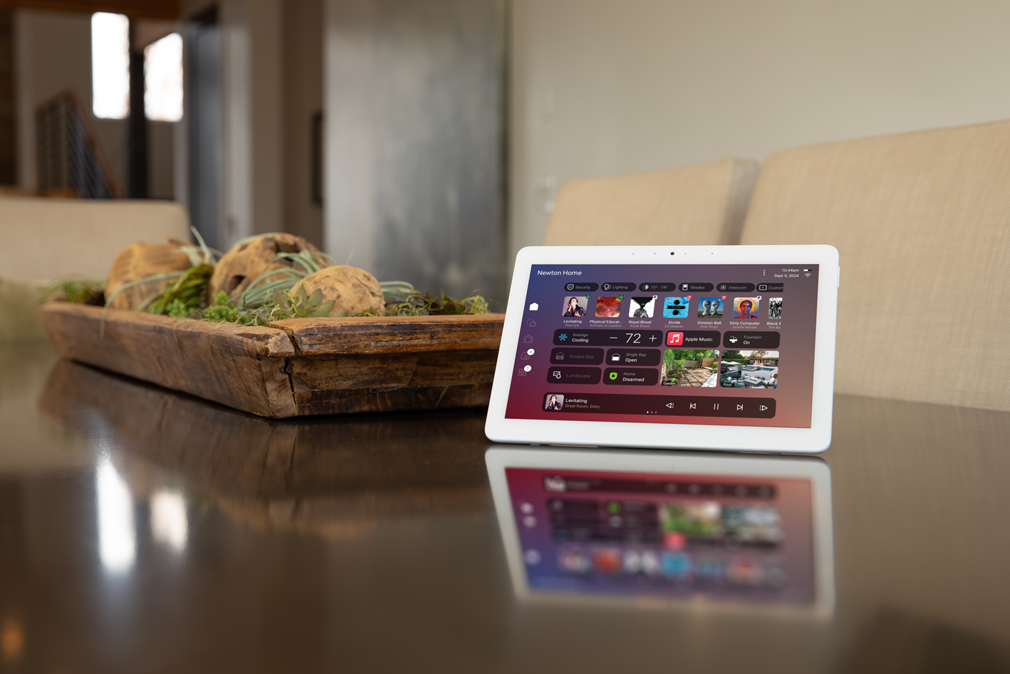
Introducing Control4 X4
The biggest evolution in Control4 history. X4 transforms the platform from a traditional operating system into a personalized smart living experience - faster, more visual, and designed to put you in control without calling your integrator for every change.
Redesigned Home Screen
A completely new hub that surfaces the devices and information you care about most. Customizable widgets - cameras, thermostats, music, door locks, lighting scenes - can be resized, rearranged, and swapped so your home screen reflects your priorities, not a default template.
Routines
Create and manage automated scenes and schedules directly from the app - no dealer visit required. A built-in Routine Gallery offers pre-set automations you can customize: "Good Morning" might raise shades and start coffee; "Movie Night" dims lights, lowers the screen, and queues your source.
Apple HomeKit & Siri
X4 adds native Apple HomeKit support. Control devices and trigger scenes from Apple's Control Center, Widgets, CarPlay, or Siri. Triad amplifiers now support AirPlay 2 natively, so streaming from any Apple device to any zone is instant and lossless.
Multi-Property Support
Toggle between your primary home, vacation house, or investment property from one app using the new Property Selector. Check cameras at the beach house from your city apartment, or set the thermostat before you arrive at the ski lodge - same interface, any property.
Modernized Interface
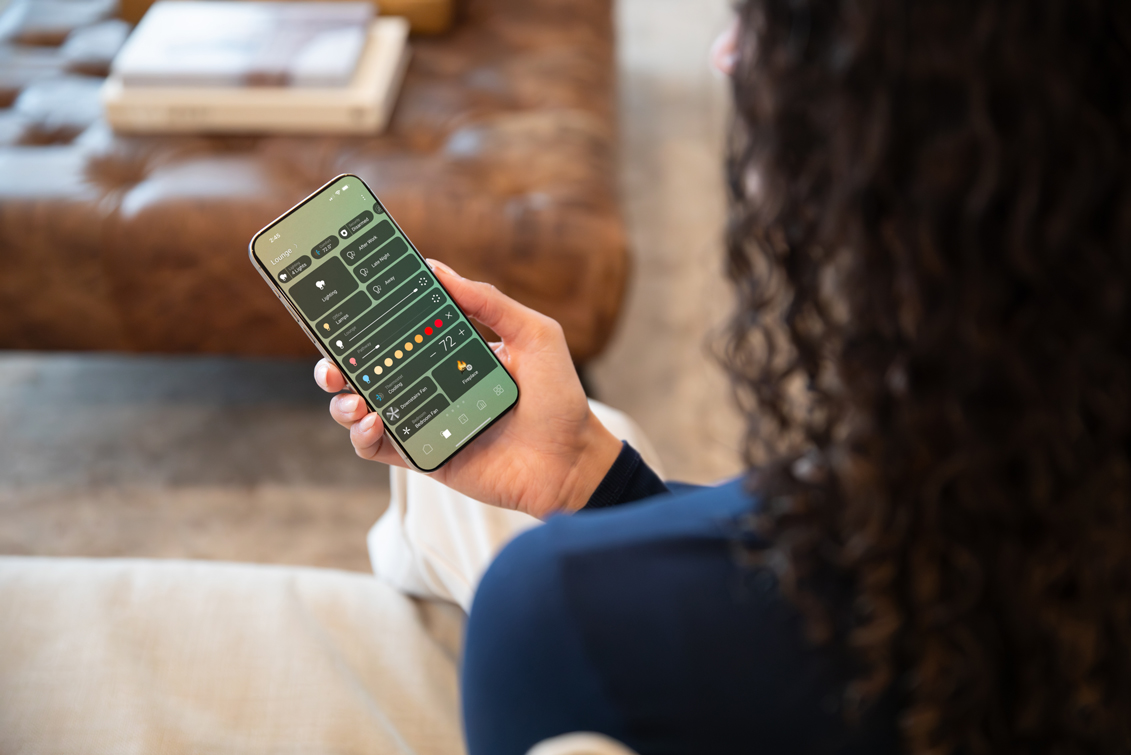
Cleaner design, smoother transitions, and a more fluid experience across touchscreens, handhelds, and mobile. The UI feels contemporary and responsive - closer to the polish of a consumer app than traditional home automation software.
Seamless Upgrades
Already on OS 3? Upgrading to X4 preserves your existing programming, devices, and scenes. We handle the migration - including transitioning legacy lighting with Control4's Driver Migration Agent - so you get the new features without starting over.
X4 in Your Daily Life
The real measure of a smart home platform is how invisible it becomes. With X4, you wake up to shades rising gradually and lights warming to match the sunrise - triggered by a Routine you set yourself. Leaving the house? A single "Away" tap locks doors, arms the security system , adjusts the thermostat, and turns off every light.
Hosting? "Entertain" brightens the kitchen, starts a playlist across whole-home audio zones, and unlocks the front door for guests. On the drive home, Siri or CarPlay lets you pre-heat the house and turn on the porch lights without opening the app. X4 makes the home react to your life, not the other way around.
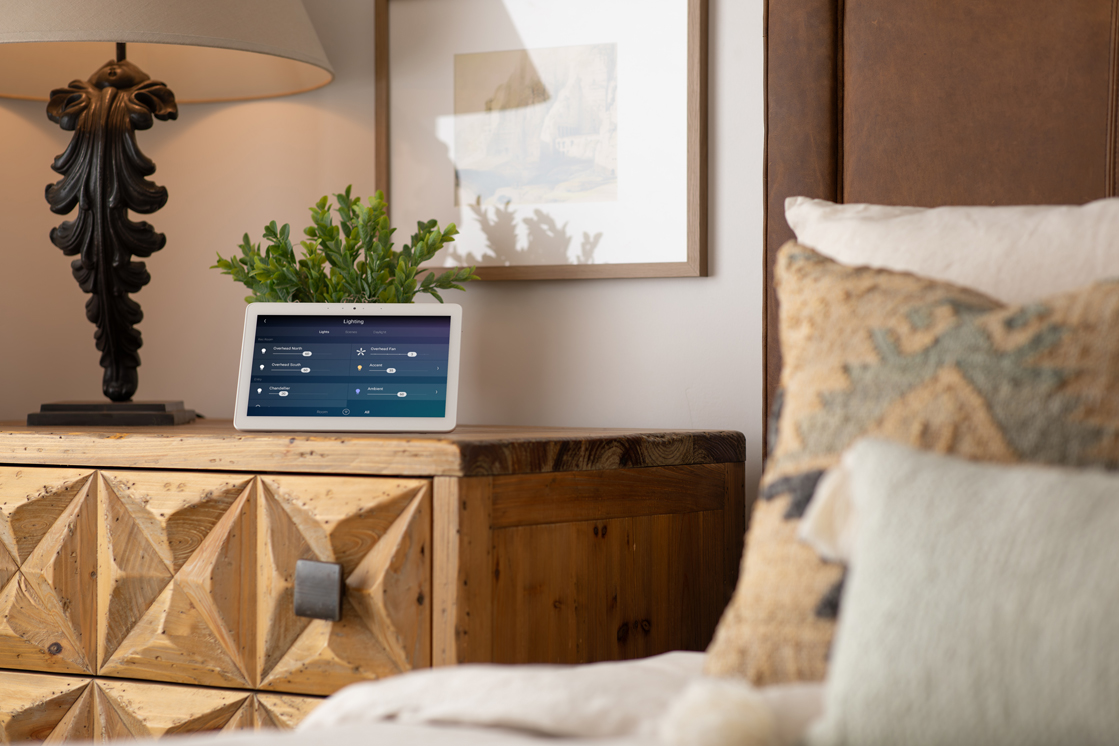
What You Can Control
Control4 unifies every subsystem in your home under one platform. Here is what we integrate for our clients.
Lighting
Scenes, schedules, and dimming for every fixture in the house - inside and out. Pair with Lutron, Ketra, or Control4 Lux hardware for precise tuning, circadian wellness profiles, and one-touch "Goodnight" scenes that shut everything down.
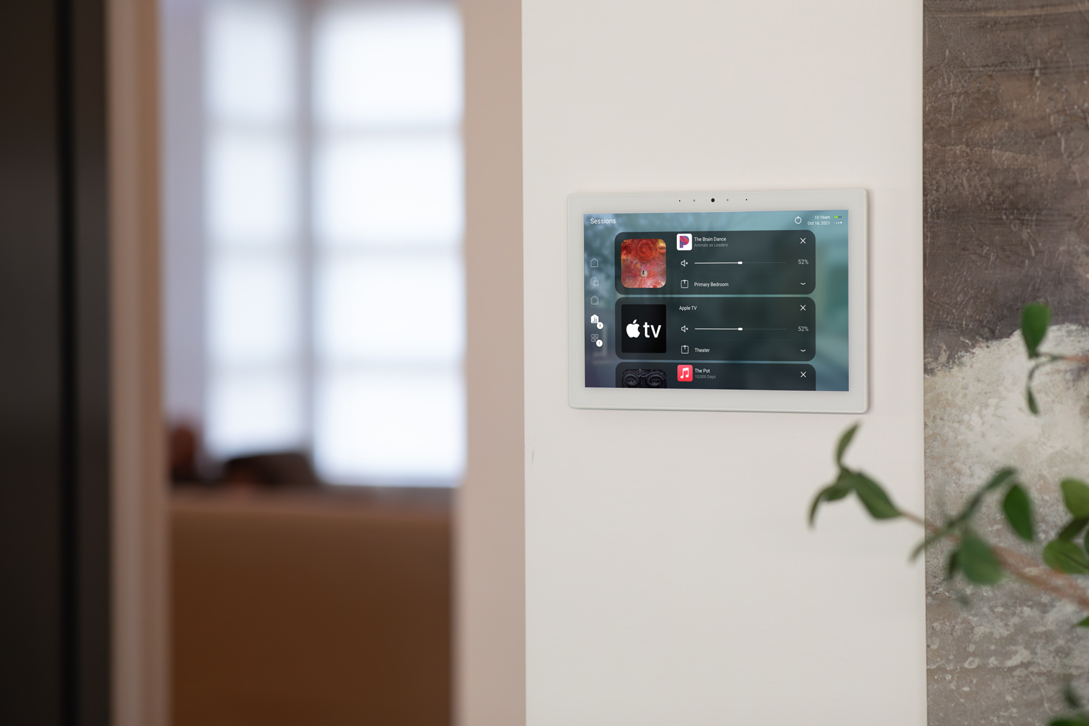
Whole-Home Audio
Stream different sources to different rooms, group zones for a party, or follow your podcast from the kitchen to the garage. Control4 works with Triad, Sonos, and other multi-room platforms we install - volume, source, and grouping all from the same interface.
Video & Media
Switch sources, control your media room or home cinema , and distribute 4K content to any screen in the house. One remote or app replaces a stack of remotes and eliminates the "which input?" confusion.
Climate
Smart thermostat integration with scheduling, occupancy sensing, and geo-fencing. Coordinate HVAC with shades and lighting so the house stays comfortable and energy-efficient without constant manual adjustment.
Security & Cameras
View cameras on any touchscreen or TV, receive alerts when doors open, and integrate locks, motion sensors, and alarm panels into the same Control4 scenes. "Away" arms the system; "Welcome Home" disarms it, turns on lights, and unlocks the door.
Shades & Drapes
Motorized shades and drapes timed to the sun's position, linked to movie scenes, or controlled per room. Control4 coordinates shade positions with lighting levels so glare, privacy, and ambiance stay balanced all day.
Routines & Scenes That Fit Your Life
The X4 Routine Gallery gives you a starting point: pre-built automations for morning wake-up, leaving the house, movie night, bedtime, and more. Customize triggers, timing, and which devices participate - then save. No programming knowledge needed, and no waiting for a service call.
For deeper customization, we program advanced scenes and conditional logic during the install: if the doorbell rings after dark, turn on the porch light and show the camera on the kitchen display. If the house is empty for 30 minutes, lower the thermostat and arm perimeter sensors. The system adapts to you.
Why Choose Stereo Types for Control4
Custom System Design
No cookie-cutter installs. We design every Control4 system around your floor plan, your routines, and the devices you already own or want - whether it is a single-room media setup or a multi-property estate.
Deep Integration Expertise
Lutron, Sonos, Triad, Josh.ai, Apple - we make mixed-brand ecosystems feel unified. Our programming goes beyond defaults, with conditional logic and advanced scenes tailored to how you live.
Training & Handover
We walk you through every scene, every remote, and every app feature so day one feels effortless. You will know exactly how to use your system - not just that it exists.
Long-Term Support
Firmware updates, new device additions, seasonal scene changes, and remote troubleshooting. We stand behind every system with the same level of service after the install as during it.
Upgrading to X4
If you are on OS 3 (or earlier), the jump to X4 preserves your existing programming while unlocking the redesigned home screen, Routines, and Apple HomeKit support. We assess your current hardware, confirm compatibility, and handle the migration cleanly - including the new Driver Migration Agent for transitioning older lighting and keypads to the modern Lux platform.
A Control4 Connect subscription is required for X4. We help you set that up and explain exactly what it covers - cloud services, remote access, and ongoing OS updates. If you have legacy T3 touchscreens or Gen 1/2 lighting, we will advise on which devices benefit from an upgrade and which continue working as-is.
See Control4 in Action
We have deployed Control4 across estates, penthouses, vacation homes, and commercial spaces. Explore how we bring these systems to life in projects like the Belle Meade Island outdoor media installation, the Jones Home in Northern Virginia, and our work at Kalea Bay, Naples . Every project is different - control is always effortless.
Frequently Asked Questions
X4 is a major evolution of OS 3. The biggest changes are a completely redesigned home screen with customizable widgets, a new Routines feature that lets you create and edit automations yourself, native Apple HomeKit and Siri support, multi-property switching, and a modernized UI that feels smoother and more responsive across all devices. Your existing OS 3 programming carries over during the upgrade.
Control4 X4 requires a Control4 Connect subscription, which enables cloud features, remote access from your phone, and ongoing software updates. The base system and local control work without it, but the subscription unlocks the full X4 experience - including Routines, Apple HomeKit integration, and remote monitoring. We set this up as part of the installation and walk you through what is included.
Almost certainly. Control4 supports thousands of third-party devices: Lutron and Ketra lighting, Sonos and Triad audio, Samsung and Sony displays, Nest and Ecobee thermostats, Yale and Schlage locks, Ring and Luma cameras, and many more. If you already have smart devices installed, we audit what you have and integrate everything that is compatible into a single Control4 interface - so you are not starting from scratch.
Not at all. While new construction lets us run wiring during framing for the cleanest install, Control4 works beautifully in existing homes too. Wireless lighting dimmers, Wi-Fi-connected devices, and strategic use of existing wiring let us retrofit smart control without tearing open walls. We assess your home's infrastructure during the consultation and recommend the best approach - wired, wireless, or a mix.
The Control4 app gives you full remote access from anywhere - check cameras, lock doors, adjust thermostats, trigger scenes, and manage multi-property systems from your phone. With X4, Apple HomeKit users can also control devices through Siri, CarPlay, and the Apple Home app. A stable home network is the foundation - we make sure that is rock-solid before the system goes live.
It depends entirely on the scope: a single-room system with lighting and audio control starts at a different level than a full-home deployment spanning entertainment, security, shades, climate, and multi-zone audio. We provide a detailed proposal after the consultation so you know exactly what you are getting, and we can phase the project if budget is a consideration. Reach out and we will walk you through the options.
Florida / Southeast
Virginia / Mid Atlantic
Colorado / Utah / Montana

Social Media
Stereo Types:

Mid Atlantic:

South East:

North East:
